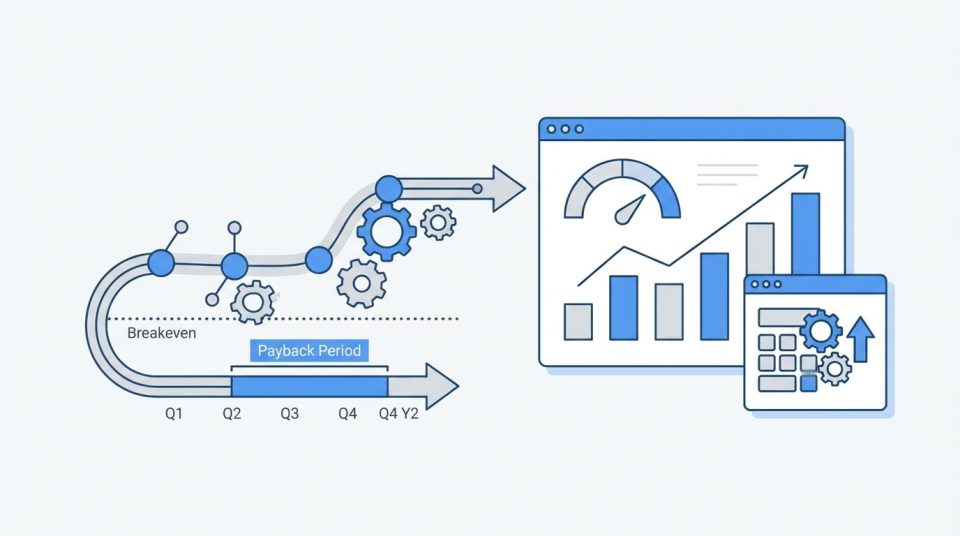
Core Web Vitals ROI comes from reducing user friction on the pages that create the pipeline: faster rendering, steadier layouts, and more responsive interactions. The best way to measure it is to start with your current data (from Search Console/CrUX or RUM), connect it to your conversion goals in GA4, then implement specific improvements and check the results with controlled tests. Done well, you see compounding gains in rankings, CVR, and paid media efficiency. When teams approach performance with this mindset, Core Web Vitals ROI becomes a repeatable outcome instead of a one-time optimization win.
If you’ve ever improved page speed and still struggled to prove business impact, you’re not alone. Core Web Vitals are measurable, but the ROI becomes blurry when teams mix lab scores with real-user experience, optimize the wrong templates, or ship large refactorings without isolating the change that drove the result.
What Core Web Vitals ROI means for Core Web Vitals
Core Web Vitals ROI is not a single number you pull from a dashboard and call it done. It’s a framework for connecting experience metrics (LCP, INP, CLS) to outcomes: organic visibility, conversion rate, and the operational cost of serving your site at scale.
It also isn’t a promise that “green scores = instant growth.” In B2B, your buyers are often patient and research-heavy, so the payoff usually shows up as fewer abandonment moments, higher form completion, and better lead quality—especially on pricing, demo, and signup flows.
SEO impact vs conversion impact vs infrastructure cost impact
For SEO, Core Web Vitals are part of Page Experience signals, and they tend to matter most when you’re competing with similar content quality and authority. Improving them can reduce the “experience tax” that keeps solid pages from reaching their ranking potential, particularly on mobile.
For conversions, the effect is often clearer: better LCP reduces perceived wait time, better INP makes UI feel trustworthy, and lower CLS prevents “misclick” frustration. For infrastructure, the same work that speeds delivery—image optimization, caching, CDN usage—can reduce bandwidth and compute costs over time.
Setting expectations: correlation, causation, and testing
Rankings and revenue can change for various reasons, so the goal is to minimize uncertainty. Treat Core Web Vitals changes like any growth initiative: define the KPI you expect to move, forecast a realistic range, and measure impact against a baseline that accounts for seasonality and channel mix.
A helpful mindset is to separate “experience lift” from “business lift.” Experience lift is the measurable change in field LCP/INP/CLS and related timings; business lift is what happens in GA4 conversions, revenue per session, and lead quality once enough traffic has seen the improved experience.
This is why treating Core Web Vitals ROI as an experimentation and measurement problem—not a score-chasing exercise—produces clearer business answers.
Baseline: how to measure current performance and business outcomes
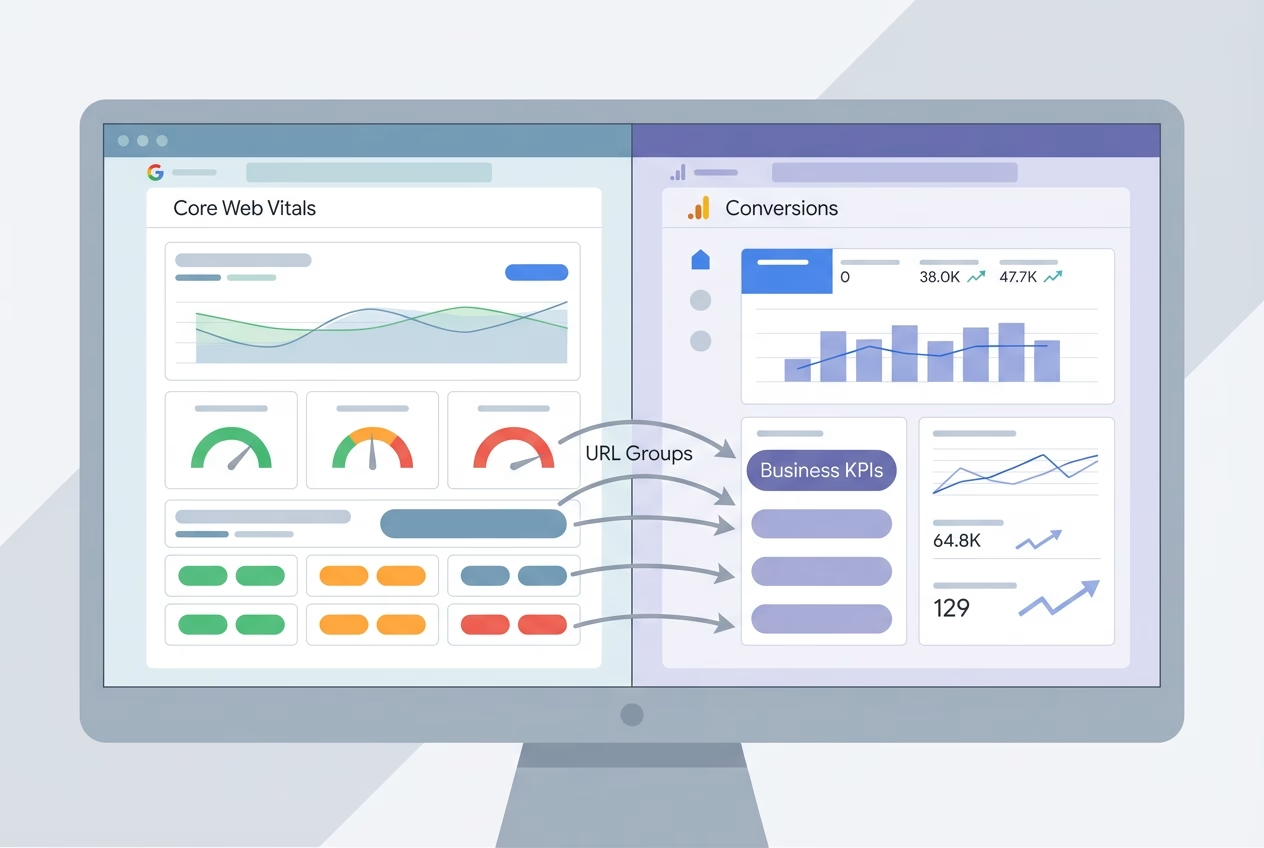
Before you talk about Core Web Vitals ROI, you need a baseline that’s stable and comparable. That means choosing a small set of priority page groups, capturing field metrics for those URLs, and pairing them with business KPIs for the same sessions and devices.
Start by defining what “success” looks like for each page type. A blog post might optimize for engaged sessions and assisted conversions, while a pricing or demo page should be tied to the primary conversion rate (CVR), form completion, and downstream sales outcomes.
Field data: Search Console, CrUX, RUM (why it matters most)
Field data is the closest view of what real users experience across devices, networks, and geos. Google Search Console’s Core Web Vitals report and CrUX trends are especially useful for identifying whether a problem is widespread or isolated to a subset of users.
If you have Real User Monitoring (RUM), use it to segment by template, route, and user state (first-time vs. returning). This is also where you can quantify “how bad is bad”: the share of sessions in the “poor” and “needs improvement” buckets often predicts where Core Web Vitals ROI will first appear.
Lab data: Lighthouse/PageSpeed Insights (how to use it correctly)
Lab tools like Lighthouse and PageSpeed Insights are best for diagnosing why something is slow, not proving that real users are suffering. They provide repeatable conditions that make it easier to attribute a delay to render-blocking CSS, oversized images, long tasks, or third-party scripts.
Use lab data as your engineering to-do list, then validate with field results. When lab improves, but the field doesn’t, it usually means your test page isn’t representative, the bottleneck is network/device diversity, or your issue occurs after initial load (common with INP problems on interactive pages).
Tied to KPIs: CVR, lead quality, bounce rate, revenue per session
To calculate Core Web Vitals ROI, translate experience change into business movement, then into dollars. A simple method is to estimate the incremental conversions from a CVR lift on key pages, multiply by the average lead value (or close rate × ACV), and subtract engineering and tooling costs.
In GA4, focus on a small set of events you trust (demo request, trial signup, contact submit), and keep definitions stable during the measurement window. Pair that with Search Console impressions/clicks for the same page groups to capture both conversion impact and ranking/CTR impact without blending unrelated URLs.
Prioritization model: fix what affects revenue pages first
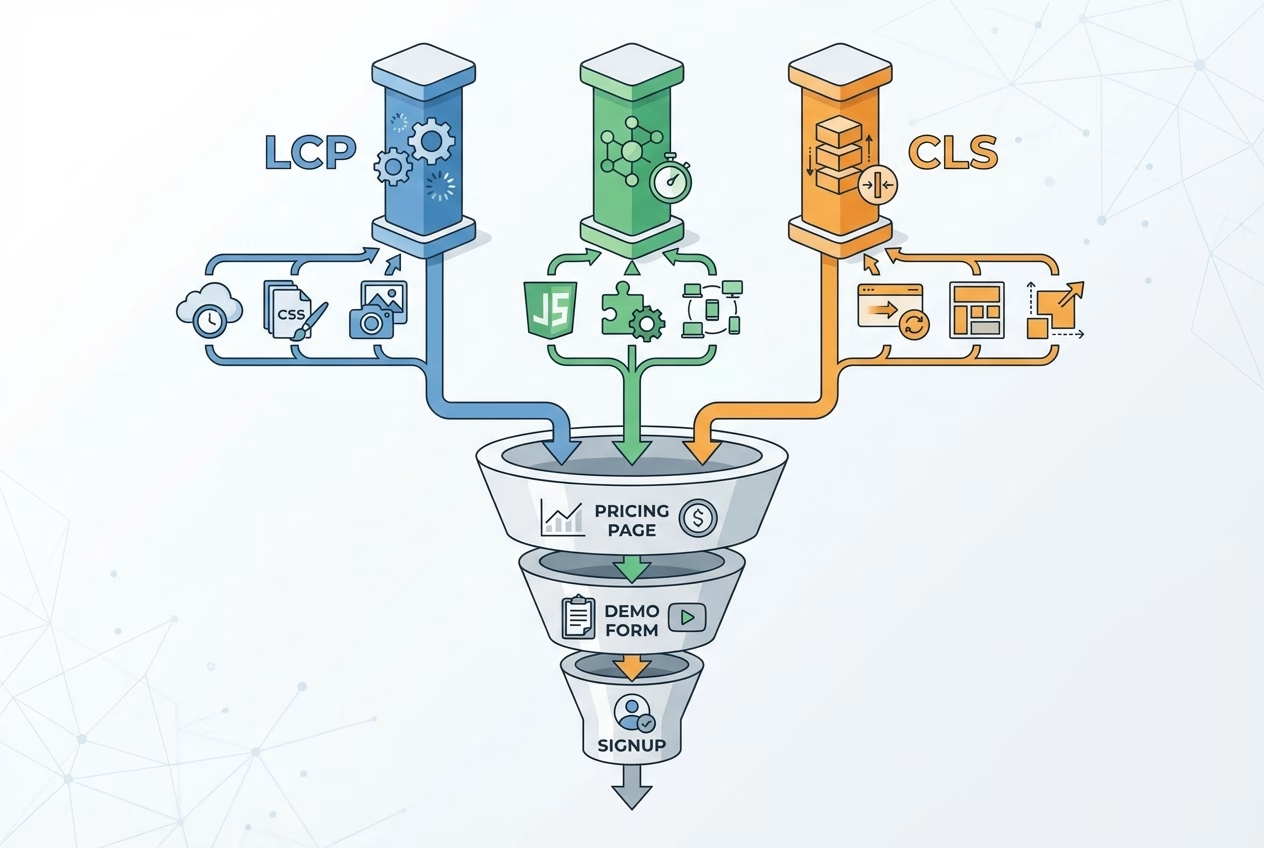
Most teams lose ROI by optimizing the average page instead of the pages that monetize attention. Your site can have a fast blog, but it may still experience pipeline loss if the pricing page has a slow LCP or if the demo form is sluggish due to JavaScript-heavy validation that negatively impacts INP.
Prioritization becomes clearer when you treat performance like any funnel problem: identify where users drop, then remove friction at that point. This approach also makes Core Web Vitals ROI easier to defend internally because it ties work to the pages leadership already cares about.
Page groups: pricing, demo/lead forms, product pages, blog
Group URLs by intent and template so you can measure like-for-like. Pricing and demo pages typically have the strongest “direct conversion” relationship, product pages influence consideration, and blog content often drives the first touch that feeds retargeting and email capture.
Once grouped, compare the share of traffic and the share of conversions each group contributes, then overlay the Core Web Vitals distribution. Pages with high conversion influence and a high share of “needs improvement” sessions are where Core Web Vitals ROI tends to concentrate.
Segments: mobile vs desktop, geo, traffic source
Segmenting prevents you from “optimizing for your laptop.” Mobile traffic often has worse LCP due to network and device constraints, while INP problems can spike on mid-tier devices where long tasks are more pronounced. Geo also matters when CDN coverage or third-party endpoints introduce regional latency.
Traffic source is the other multiplier. If paid landing pages have weak Core Web Vitals, you pay twice: once for the click, and again through lost CVR. Organic pages with strong impressions but low CTR can benefit when experience improvements strengthen competitiveness in tight SERPs.
Effort vs impact scoring (quick wins vs larger refactors)
A useful scoring model weighs (1) the business value of the page group, (2) severity and prevalence in field data, and (3) the engineering effort with risk. The goal is not perfection—it’s to sequence work so you get measurable lift early, then reinvest confidence into bigger refactors.
Use the table below to decide which metric is most likely to pay back first on a given page type. In many SaaS marketing stacks, LCP is the easiest early win, while INP has the highest leverage on interactive flows like filters, calculators, and multi-step forms.
| Metric | What users feel | Where ROI shows up first | High-ROI fix patterns |
|---|---|---|---|
| LCP | “This page is taking too long to show.” | “I clicked, and nothing happened.” | Optimize hero media, reduce render-blocking CSS, improve server response, use CDN/preload |
| INP | “I clicked and nothing happened.” | Demo forms, signup flows, JavaScript-heavy product tours | Reduce main-thread work, code split, prune third-party scripts, adjust hydration strategy |
| CLS | Pages with ads/embeds, announcement bars, and late-loading fonts | Reserve space, stabilize components, improve font loading, and avoid late inserts above the fold | Reserve space, stabilize components, improve font loading, avoid late inserts above the fold |
High-ROI fixes by metric (with practical examples)
The “highest ROI” fix depends on what is actually limiting your user experience in the field. A fast server won’t help if your hero image is enormous, and a clean bundle won’t help if a tag manager injects late UI that causes layout jumps.
The most reliable pattern is to fix the dominant bottleneck on your highest-value pages, then re-measure. That’s how you keep Core Web Vitals ROI from turning into an endless backlog of micro-optimizations that never translate into the pipeline.
LCP fixes: image optimization, critical CSS, server response, CDN, preloading
LCP improvements that increase conversion rate usually come from fixing above-the-fold delivery. Start with the largest visual element—often a hero image, video poster, or large heading block—and ensure it can render quickly without waiting on non-critical CSS or slow third-party calls.
Common high-impact moves include compressing and resizing hero images, using modern formats, serving responsive images, extracting critical CSS, and improving TTFB via caching and CDN. When your LCP element is text, font loading strategy matters too, especially if custom fonts block rendering.
Example: A SaaS pricing page loads a 2.5 MB hero PNG and a full CSS framework before rendering the headline. Replacing the hero with a properly sized WebP and inlining critical CSS drops mobile LCP by over a second, and the form-start rate rises because users reach the plan table sooner.
INP fixes: reduce main-thread work, code splitting, third-party scripts, hydration strategy
INP optimization for JavaScript-heavy sites is often where conversion-focused teams get the biggest “felt” improvement. If clicks, taps, and typing lag—especially on demo and signup pages—users interpret it as risk, and they abandon before they ever hit submit.
Start by identifying long tasks and noisy third-party scripts that run during user interactions. Then tackle the largest contributors: break up heavy bundles with code splitting, defer non-essential hydration, and replace expensive UI patterns (like oversized client-side rendering for static content) with lighter approaches.
For example, a multi-step demo form uses an analytics library and a chatbot widget that both listen for changes to every input. By delaying the chatbot until after form completion and debouncing validation, the form feels instant on mid-tier Android devices, and the completion rate improves without changing the offer.
CLS fixes: reserve space, font loading, avoid late-inserting banners, and embeds
CLS is the most “avoidable” pain because it’s often caused by late-arriving elements the team controls: announcement bars, cookie banners, personalization widgets, and embeds. Even small shifts can break reading flow and cause accidental clicks on CTAs, which is especially damaging in pricing and comparison sections.
Fix CLS by reserving space for components, defining image and iframe dimensions, and ensuring font swaps don’t reflow above-the-fold text. Be strict about any vendor script that inserts UI late; governance here protects Core Web Vitals ROI because it prevents regressions after you’ve already invested in performance work.
Implementation playbook for B2B/SaaS teams
Performance work fails when it has no owner and no definition of “done.” A strong playbook assigns responsibilities, protects shipping velocity, and creates a measurement loop so teams can confidently say what changed, why it changed, and what it returned.
This is also where Core Web Vitals reporting in GA4 and Search Console becomes operational. You want the same page groups, segments, and KPIs used in baseline to be used after release, so stakeholders see a clean before/after story rather than a collection of isolated technical wins.

Who owns what: marketing, web dev, platform, analytics
Marketing typically owns priorities: which pages matter, what conversion events count, and what tradeoffs are acceptable for brand and content. Web development owns front-end execution (templates, bundles, and rendering strategy), while platform teams own servers, caching, and CDN configuration that affect TTFB and global consistency.
Analytics owns measurement integrity: stable GA4 events, clean page grouping, and annotations for releases. Without this, teams can “improve performance” and still be unable to defend Core Web Vitals ROI because the business side can’t reliably connect the release to funnel changes.
Rollout strategy: A/B tests, staged releases, monitoring regressions
Use staged releases when possible, because performance regressions are common and expensive. For highly trafficked landing pages, A/B testing can isolate conversion impact while you monitor field metrics shifting in parallel; for lower-traffic pages, phased rollouts with careful pre-/post-windows are often more practical.
Regardless of method, define your “stop conditions” up front: if INP worsens on mobile or CLS spikes on the pricing template, the release pauses until you find the cause. This is how you protect trust in the program and keep Core Web Vitals ROI compounding instead of resetting.
Guardrails: performance budgets, CI checks, vendor/script governance
Guardrails keep improvements from eroding over time. Performance budgets (bundle size, image weight, third-party calls) make tradeoffs visible, and CI checks catch accidental bloat before it reaches production.
Vendor governance is equally important because third-party scripts often dominate both INP and CLS issues. A simple policy—what can run, when it can load, and who approves it—often delivers more sustained Core Web Vitals ROI than a one-time optimization sprint.
FAQ
Do Core Web Vitals directly improve SEO rankings?
They can contribute, but they’re one signal among many. The bigger win is often removing an experience disadvantage so strong pages can compete more effectively in close SERPs.
What are good LCP, INP, and CLS scores for a SaaS site?
Aim for LCP under 2.5s, INP under 200ms, and CLS under 0.1 for most pages. For revenue pages, being comfortably inside those thresholds helps reduce friction where it matters most.
How long does it take to see ROI after Core Web Vitals fixes?
Conversion changes can show up as soon as enough traffic sees the improved experience, often within days to a few weeks. SEO impact typically takes longer because crawling, indexing, and ranking adjustments lag behind releases.
Should we optimize templates first or only high-traffic pages?
Start with high-traffic, high-conversion pages to prove value fast, then expand to templates for scale. Template work is best once you know the bottleneck pattern you’re solving across many URLs.
What tools should we use to track improvements and business impact?
Use Search Console and CrUX (or RUM) for field Core Web Vitals, Lighthouse/PageSpeed Insights for diagnostics, and GA4 for conversion KPIs. The key is consistent page grouping and release annotations so changes can be attributed.
Which fixes usually deliver the highest ROI first: LCP vs INP vs CLS?
LCP often wins early on marketing pages because hero delivery is frequently the bottleneck. INP can deliver the biggest lift on interactive flows, while CLS is a fast win when layout shifts come from late-inserting UI or fonts.
How do we calculate Core Web Vitals ROI for a B2B website?
Estimate incremental conversions (or pipeline) from CVR lift on prioritized pages, then multiply by lead value or close rate × ACV, and subtract engineering/tooling cost. Keep the measurement tied to field metrics and stable KPIs to avoid over-attributing.
Next Steps/CTA: Proving Core Web Vitals ROI in a 2-Week Sprint
The fastest path to proving Core Web Vitals ROI is to narrow scope, ship, and measure—then repeat. Pick one revenue page group (pricing or demo), identify the dominant bottleneck using field data first and lab diagnostics second, and commit to changes you can deploy safely within two weeks.
After the changes are made, check three things: the field LCP/INP/CLS improvements for the specific URLs, the increase in conversions in GA4 for that same group, and the monitoring. When those align, you’ve built a repeatable engine for Core Web Vitals ROI instead of a one-off performance project.
This sprint-based approach turns Core Web Vitals ROI into an operating rhythm your team can repeat across pages, templates, and releases.
- Choose one page group (pricing, demo, signup) and one primary KPI (CVR, form completion, revenue per session).
- Baseline field: Core Web Vitals and segment by mobile/desktop, geo, and traffic source.
- Use lab tools to identify the root cause and ship the smallest fix that removes the bottleneck.
- Roll out in stages, watch for regressions, and compare pre/post windows in GA4 and Search Console.
- Document the result, then expand the same pattern to the next highest-value page group.